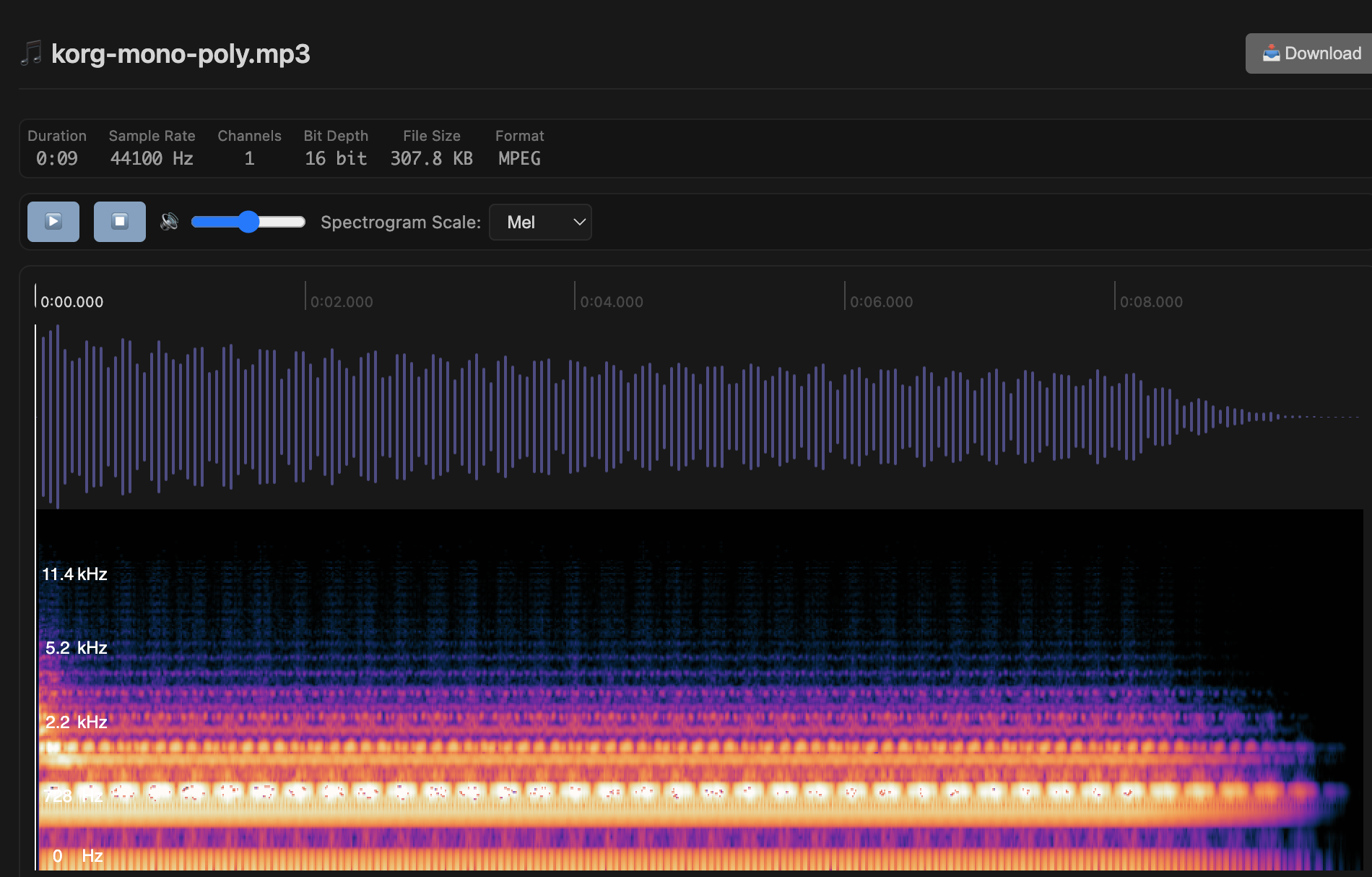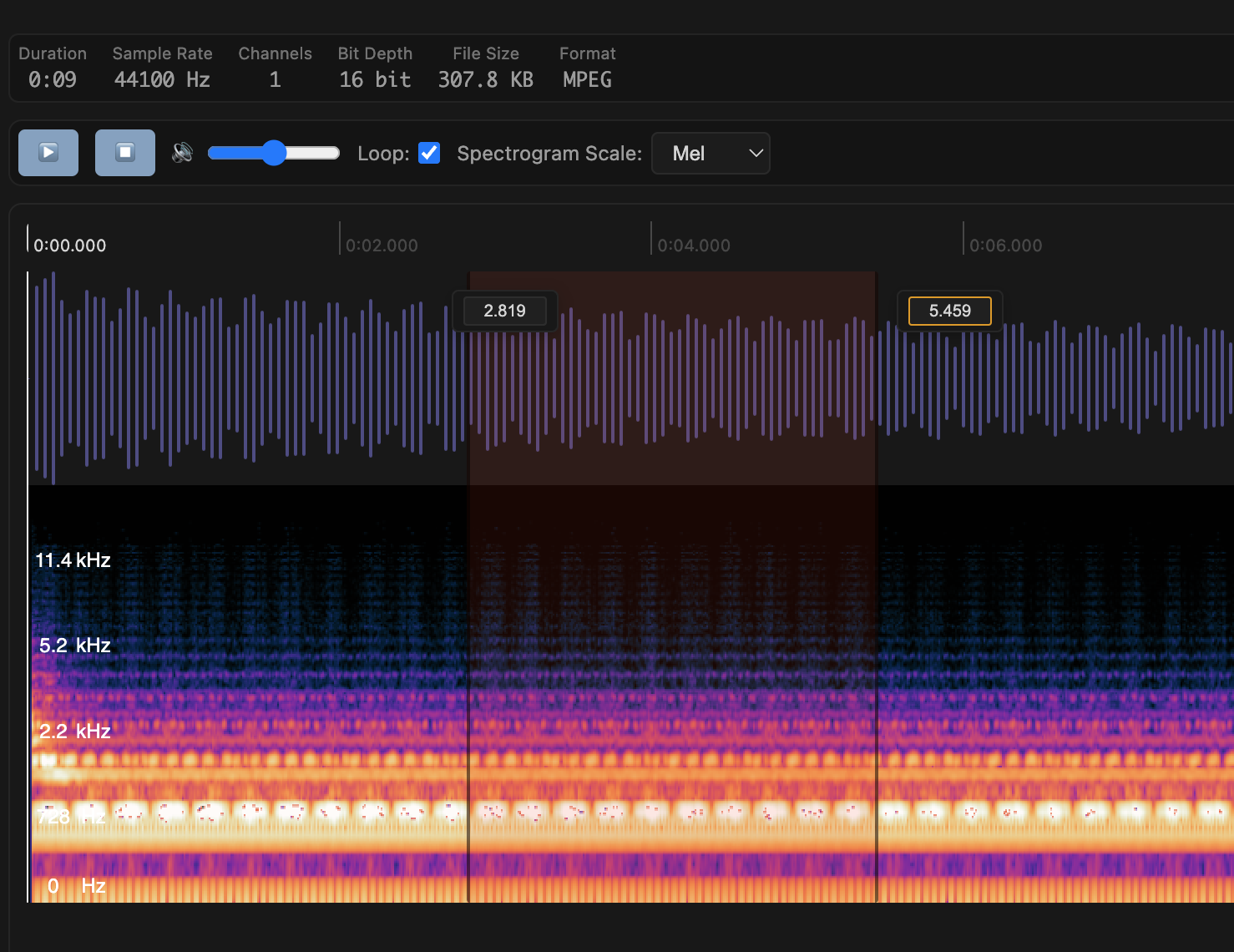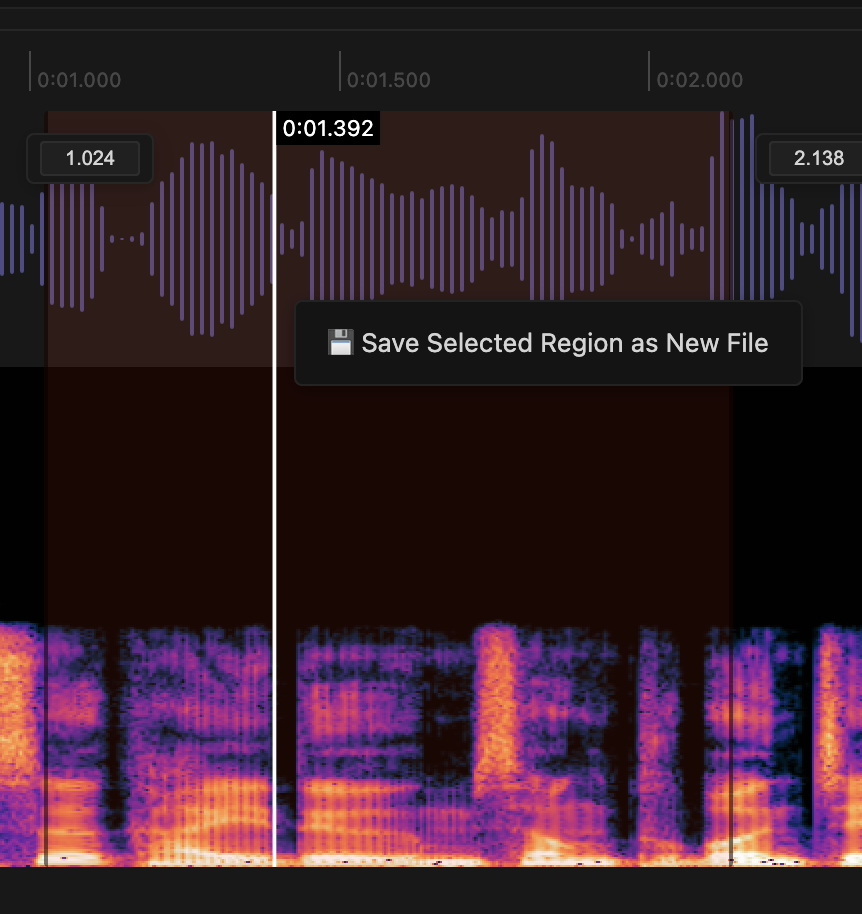

Audio playback with waveform/spectrogram, region loop, and speed control.
The audio viewer is designed for quick listening and review, not just raw playback.
Why it works well in VS Code / Cursor
It keeps media asset review inside the editor workflow.
What you can do
- Shows filename, file size, duration, sample rate, and channel count together.
- Lets you inspect waveform position and fine-tune selected region bounds by time input.
- Supports looping an active region for repeated listening.
- Includes volume and playback-rate controls.
- Adds stereo split-channel view and spectrogram toggling when available.
Supported formats
MP3, WAV, OGG, FLAC, AAC, M4A